Free URL Shortener Online - Shorten Links Instantly
Learn how URL shorteners work, why you need one, and how to create short links for free. A complete guide to link shortening for social media, QR codes, and more.
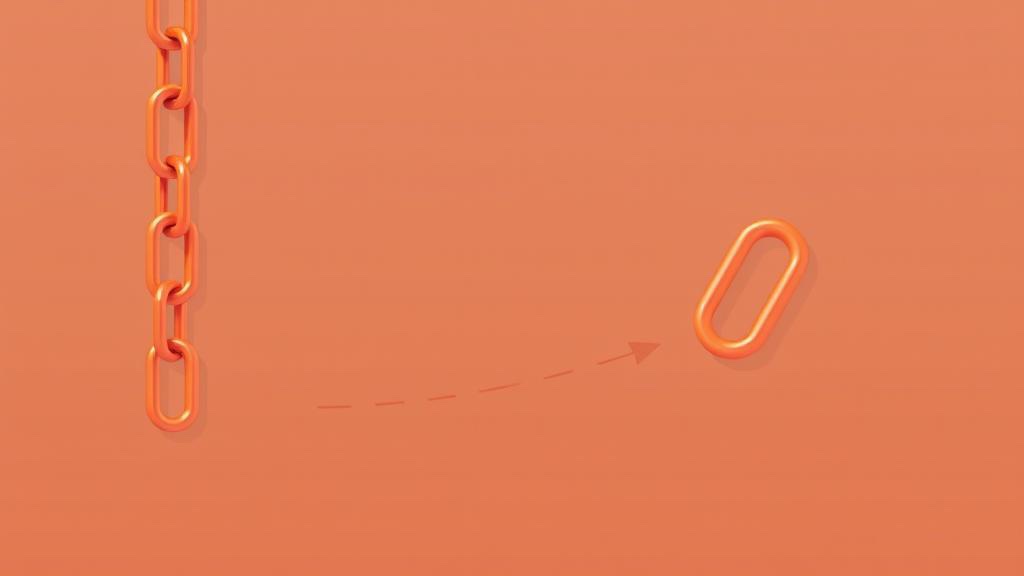
What is a URL Shortener?
A URL shortener is a web service that converts a long URL into a much shorter, more manageable link. When someone clicks the short link, they are automatically redirected to the original destination URL. For example, a link like https://www.example.com/blog/category/post-title-with-a-very-long-name?utm_source=newsletter&utm_medium=email can become something clean like https://mot.link/abc123.
URL shorteners have become an essential tool in the modern digital landscape. Whether you are sharing links on social media, embedding them in QR codes, or cleaning up email campaigns, short URLs are cleaner, more memorable, and easier to share.
Why Use a URL Shortener?
Long URLs are ugly and impractical in many contexts. Here are the main reasons people shorten URLs every day:
1. Social Media Character Limits
Platforms like X (Twitter) have strict character limits. A 280-character post can be half consumed by a single long URL. Short links preserve your character budget for the actual message. Even platforms without hard limits — like Facebook or LinkedIn — show messy long URLs that hurt engagement.
2. QR Codes
Long URLs generate extremely dense, complex QR codes that are harder for scanners to read. A short URL produces a simpler, more reliable QR code that scans faster even in poor lighting or from a distance. This is especially important for print materials like business cards, flyers, and product packaging.
3. Cleaner Appearance
Short links look professional. Compare these two in a presentation or email: a messy 200-character URL with tracking parameters vs. a clean, brand-aligned short link. The short link signals competence and attention to detail.
4. Easier to Share and Remember
When you need to share a URL verbally — in a podcast, a video, or a speech — a short link is the only practical option. "Go to mot.link/tools" is infinitely easier to remember than a full URL with slashes, hyphens, and query strings.
5. Link Management
Short links can be updated to point to a new destination without changing the link itself. If you print a QR code on 10,000 brochures and need to redirect it to a new page later, a managed short link lets you do that instantly.
How Does URL Shortening Work?
The technical process behind URL shortening is straightforward but clever:
- Submission: You enter your long URL into the shortener tool.
- Storage: The service stores the mapping between a unique short code (e.g., "abc123") and your original URL in a database.
- Redirect: When someone visits the short link, the server looks up the short code, finds the original URL, and sends an HTTP redirect (301 or 302) to the browser.
- Arrival: The browser automatically follows the redirect and loads the destination page — the whole process takes milliseconds.
- 301 (Permanent): Browsers and search engines cache this redirect. SEO value passes to the destination URL. Best for permanent short links.
- 302 (Temporary): No caching. The short URL retains more control. Used when the destination may change.
Free vs Paid URL Shorteners
Not all URL shorteners are created equal. Here is what you get at different tiers:
Free URL Shorteners
- Basic link shortening with no account required
- Standard short domains
- Unlimited clicks on created links
- QR code generation for the short link
- No expiration on links (on quality services)
Paid / Premium URL Shorteners
- Custom branded domains (e.g., brand.co/promo)
- Click analytics and geographic tracking
- UTM parameter management
- Team collaboration features
- Link expiration and password protection
- API access for automation
For most personal and small business use cases, a free URL shortener is more than sufficient. Our tool gives you instant, permanent short links without requiring any account.
How to Use Our Free URL Shortener
Shortening a URL with our tool takes seconds:
- Paste your long URL into the input field at the top of the tool.
- Click "Shorten URL" — the tool instantly generates a short link.
- Copy your short link with the one-click copy button.
- Optionally, download the QR code generated for your short link — perfect for print and signage.
- Share it anywhere — social media, email, SMS, print, or QR codes.
Best Practices for Using Short Links
Get the most out of your shortened URLs with these tips:
Use UTM Parameters Before Shortening
Add UTM tracking parameters to your original URL before shortening it. This way, your short link still carries complete analytics data when it reaches Google Analytics, while staying clean and shareable. Example: https://site.com/page?utm_source=twitter&utm_medium=social&utm_campaign=launch becomes a tidy short link.
Test Your Short Link Before Sharing
Always click your short link to verify it redirects correctly before publishing. A broken link on social media can be embarrassing and cost you real traffic.
Generate QR Codes Immediately
Even if you do not need a QR code today, save the QR code image when you create a short link. You may want it for future use, and regenerating it later requires having the short link handy.
Keep a Record of Your Short Links
Maintain a simple spreadsheet with your short links, their destination URLs, creation dates, and where you used them. This prevents duplication and helps you track which links you have shared.
URL Shorteners and SEO
A common concern is whether URL shorteners hurt SEO. The short answer: not if they use proper 301 redirects. Here is what you need to know:
- 301 redirects pass link equity: When quality backlinks point to your short URL, search engines follow the 301 redirect and pass ranking signals to your destination page.
- Nofollow short URLs: Some link shorteners add a
rel="nofollow"attribute. This prevents link equity passing. Our tool uses clean redirects. - Crawl depth: Every redirect adds one hop in the crawl chain. Use short URLs for human-facing sharing, not internal website linking, to keep your site's link structure clean.
- Social sharing: Short links for social media have no negative SEO impact — social signals flow regardless of the URL length.
Security Considerations with Short URLs
Short URLs hide the destination, which creates a security concern: you cannot tell where a link goes before clicking it. Here is how to stay safe:
- Use link preview services: Paste any suspicious short URL into a link preview tool to reveal the destination before clicking.
- Check the domain: Many shorteners (including ours) use known, trustworthy domains. Be cautious with unknown short domains.
- Look for HTTPS: Legitimate short links redirect to HTTPS destinations. A short link that goes to a plain HTTP page is a red flag.
- Avoid clicking short links in unsolicited messages: Phishing campaigns frequently use URL shorteners to disguise malicious destinations.
Popular Alternatives to Bitly
Bitly is the best-known URL shortener, but it has strict limits on its free plan. Here are alternatives worth knowing:
- MoreOnlineTools URL Shortener — Free, instant, no account required, QR code included
- TinyURL — One of the oldest free shorteners, supports custom aliases
- Rebrandly — Custom domain branding, paid plans
- Short.io — Branded links with analytics, free tier available
- is.gd — Very simple, no account needed
For quick, no-fuss link shortening with built-in QR code generation, our free tool covers the most common needs without requiring registration or hitting monthly limits.
Try the Free URL Shortener Tool
Shorten any long URL instantly. No sign-up required, completely free.