10 Best Free Online Developer Tools You Need in 2026
Discover the most essential free online developer tools for 2026. From JSON formatters to CSS generators, these browser-based tools will supercharge your workflow without installing anything.
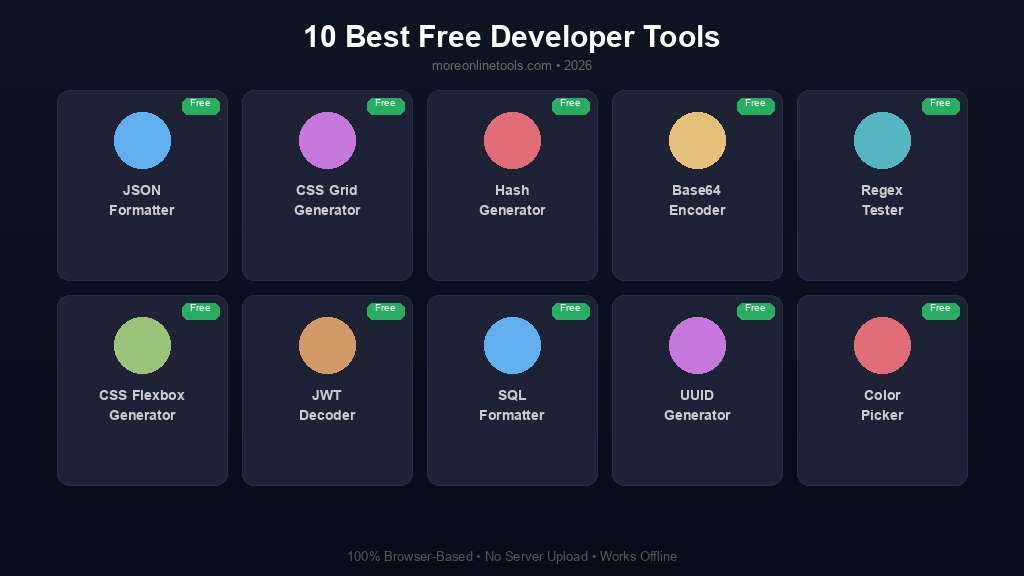
Why Online Developer Tools Matter in 2026
The developer landscape has shifted dramatically. Gone are the days when you needed heavy desktop applications to format code, generate hashes, or convert data between formats. In 2026, the browser is your most powerful development environment, and free online tools have become indispensable for developers of all skill levels.
Whether you are debugging an API response at 2 AM, quickly generating a UUID for a database migration, or formatting a messy JSON payload before a code review, having reliable online tools at your fingertips saves hours of productive time. The best part? These tools run entirely in your browser -- your data never leaves your machine, ensuring both speed and privacy.
We have curated a list of the 10 most essential free online developer tools that every web developer, backend engineer, and full-stack programmer should bookmark in 2026. Each tool is 100% client-side, requires no registration, and works instantly in any modern browser.
1. JSON Formatter & Validator
JSON (JavaScript Object Notation) is the backbone of modern web development. Every API, every configuration file, every data exchange format relies heavily on JSON. Yet working with raw JSON can be frustrating -- a single missing comma or misplaced bracket can break an entire application.
The JSON Formatter & Validator tool takes your raw, minified, or malformed JSON and transforms it into beautifully indented, color-coded, readable output. It instantly validates your JSON structure, highlights syntax errors with precise line numbers, and supports features like collapsible tree views and search functionality.
Key features:
- Instant JSON formatting with customizable indentation (2 or 4 spaces, tabs)
- Real-time validation with detailed error messages
- Minify JSON to reduce file size for production
- Copy formatted output with one click
- Support for large JSON files without performance issues
When to use it: Debugging API responses, validating configuration files, preparing JSON data for documentation, or cleaning up messy JSON before committing to version control.
2. CSS Gradient Generator
CSS gradients add visual depth and polish to any web design, but writing gradient syntax from scratch is tedious and error-prone. Browser compatibility issues make it even more challenging.
The CSS Gradient Generator provides a visual interface where you pick colors, adjust direction and stops, and get production-ready CSS code instantly. You can create linear gradients, radial gradients, and even complex multi-stop gradients with a few clicks.
Why developers love it: Instead of guessing hex values and gradient angles, you see a live preview of exactly what your gradient will look like. The generated code includes all vendor prefixes for maximum browser compatibility, and you can easily copy the CSS to your stylesheet.
3. Hash Generator (MD5, SHA-256, SHA-512)
Hash functions are fundamental to software security, data integrity verification, and countless development tasks. Whether you need to verify file integrity, create checksums, or understand how hashing works, having quick access to multiple hash algorithms is essential.
Our suite of hash tools includes the MD5 Generator, SHA-256 Generator, and SHA-512 Generator. Each tool accepts any text input and instantly produces the corresponding hash value.
Key use cases:
- Verifying file integrity after downloads
- Generating checksums for data validation
- Understanding hash algorithms for security audits
- Creating hash values for caching strategies (ETags)
- Comparing hash outputs across different algorithms
Security note: MD5 is no longer considered cryptographically secure for password storage. For passwords, always use bcrypt, scrypt, or Argon2. Try our Bcrypt Generator for secure password hashing.
4. Base64 Encoder/Decoder
Base64 encoding is everywhere in web development -- from embedding images in CSS and HTML to encoding authentication tokens and handling binary data in APIs. The Base64 Encoder/Decoder lets you quickly convert any text or data to Base64 format and back.
This tool is particularly useful when working with email attachments (MIME encoding), data URIs for inline images, JWT token inspection, and API authentication headers that use Basic Auth. You can paste encoded strings and instantly see the decoded content, making it invaluable for debugging authentication issues.
5. Regex Tester
Regular expressions are incredibly powerful but notoriously difficult to write correctly. A misplaced quantifier or forgotten escape character can lead to catastrophic backtracking or unexpected matches. The Regex Tester provides a live testing environment where you can write, test, and debug regular expressions in real time.
Features that make it indispensable:
- Real-time matching as you type your pattern
- Highlight matched groups in the test string
- Support for global, case-insensitive, and multiline flags
- Common regex patterns library for quick reference
- Match details showing captured groups and their positions
Every developer who has spent 30 minutes debugging a regex pattern knows the value of a good regex tester. This tool cuts debugging time from minutes to seconds.
6. CSS Flexbox & Grid Generators
Modern CSS layout with Flexbox and Grid is powerful but has a steep learning curve. The property names are not always intuitive, and getting the exact layout you want often requires trial and error.
The CSS Flexbox Generator and CSS Grid Generator provide visual, interactive interfaces for building complex layouts. Adjust properties like justify-content, align-items, gap, and grid-template-columns with intuitive controls and see the results in real time.
Why this matters: Instead of writing CSS, refreshing the browser, adjusting values, and repeating the cycle, you get instant visual feedback. Once your layout looks right, copy the generated CSS code and paste it directly into your project. It is especially useful for responsive designs where you need to fine-tune layout properties.
7. JWT Generator & Decoder
JSON Web Tokens (JWTs) are the standard for authentication in modern web applications. Understanding what is inside a JWT is critical for debugging authentication flows, verifying token claims, and ensuring security.
The JWT Decoder lets you paste any JWT and instantly see its header, payload, and signature in a readable format. You can inspect claims like exp (expiration), iat (issued at), sub (subject), and custom claims without writing any code. The JWT Generator allows you to create tokens with custom payloads for testing purposes.
8. SQL Formatter
SQL queries can quickly become unreadable, especially when dealing with complex joins, subqueries, and aggregate functions. The SQL Formatter takes your messy SQL and transforms it into cleanly indented, consistently formatted queries that are easy to read and maintain.
Formatting benefits:
- Consistent indentation for nested subqueries
- Proper alignment of JOIN clauses
- Clear separation of SELECT, FROM, WHERE, and ORDER BY clauses
- Uppercase SQL keywords for better readability
- Support for multiple SQL dialects
Clean SQL is not just about aesthetics -- it is about maintainability. A well-formatted query is easier to review, debug, and optimize. This is especially important during code reviews and when documenting database queries.
9. UUID Generator
Universally Unique Identifiers (UUIDs) are essential for distributed systems, database primary keys, session identifiers, and any scenario where you need globally unique identifiers without a central authority.
The UUID Generator creates RFC 4122 compliant UUIDs instantly. You can generate single UUIDs or bulk generate multiple UUIDs at once. The tool supports UUID v4 (random) generation, which is the most commonly used version in web development.
Common use cases: Database record identifiers, API request tracing, distributed system message IDs, test data generation, and microservice correlation IDs.
10. CSS Box Shadow & Border Radius Generators
Visual design details like shadows and rounded corners can make or break a user interface. Getting these CSS properties right by trial and error is time-consuming. The Box Shadow Generator and Border Radius Generator provide visual controls for designing perfect shadows and corners.
With the Box Shadow Generator, you can adjust horizontal and vertical offset, blur radius, spread radius, shadow color, and opacity. The Border Radius Generator lets you control each corner independently, creating everything from subtle rounded corners to complex organic shapes. Both tools generate production-ready CSS that you can copy directly into your project.
Bonus Tools Worth Mentioning
Beyond these top 10, here are additional developer tools that deserve a spot in your bookmarks:
- HTML Formatter -- Clean up and beautify messy HTML markup
- YAML Formatter -- Format and validate YAML configuration files
- XML Formatter -- Prettify XML documents and API responses
- CSS/JS Minifier -- Reduce file sizes for production deployment
- URL Encoder/Decoder -- Handle URL encoding for query parameters
- Cron Expression Generator -- Build and understand cron schedules visually
- Meta Tag Generator -- Generate SEO-optimized meta tags for your web pages
- Color Picker -- Find the perfect colors and convert between HEX, RGB, and HSL
Why Browser-Based Tools Are the Future
The shift toward browser-based developer tools is driven by several compelling advantages:
- Zero installation: No downloads, no dependencies, no version conflicts. Open a URL and start working.
- Cross-platform: Works identically on Windows, macOS, Linux, and even mobile devices.
- Privacy-first: Client-side processing means your data never leaves your browser. This is critical when working with sensitive API keys, credentials, or proprietary data.
- Always up to date: No manual updates required. You always get the latest version.
- Accessible anywhere: Whether you are at your desk, on a colleague's machine, or working from a coffee shop, your tools are always available.
Building an Efficient Developer Workflow
The most productive developers do not just know these tools exist -- they integrate them into their daily workflow. Here are some practical tips:
- Bookmark a tools dashboard: Create a browser bookmark folder with your most-used tools for instant access.
- Use keyboard shortcuts: Many online tools support Ctrl+Enter to execute and Ctrl+C to copy results.
- Chain tools together: For example, use the JSON Formatter to clean up an API response, then use the JSON to CSV converter to transform it for spreadsheet analysis.
- Share formatted output: Instead of pasting raw code in Slack or email, format it first for better readability.
Conclusion
In 2026, having the right tools is not a luxury -- it is a necessity for staying productive and competitive. These 10 free online developer tools cover the most common tasks that developers face daily, from data formatting to security utilities. They are fast, free, private, and always available in your browser.
The best part? You do not need to sign up, install anything, or worry about your data being stored on a server. Everything runs in your browser, giving you both convenience and peace of mind.
Bookmark these tools today and watch your development workflow become smoother, faster, and more efficient. And if you discover a tool that is not on this list, explore our full collection -- with over 100 tools, there is something for every developer need.
Explore All Developer Tools
Browse our complete collection of 100+ free online tools for developers, designers, and content creators.